Threader - Dialogue Kit
Visual Dialogue System for Unity — build branching conversations with a node-based graph editor, no boilerplate required.
v1.1.0 Discord
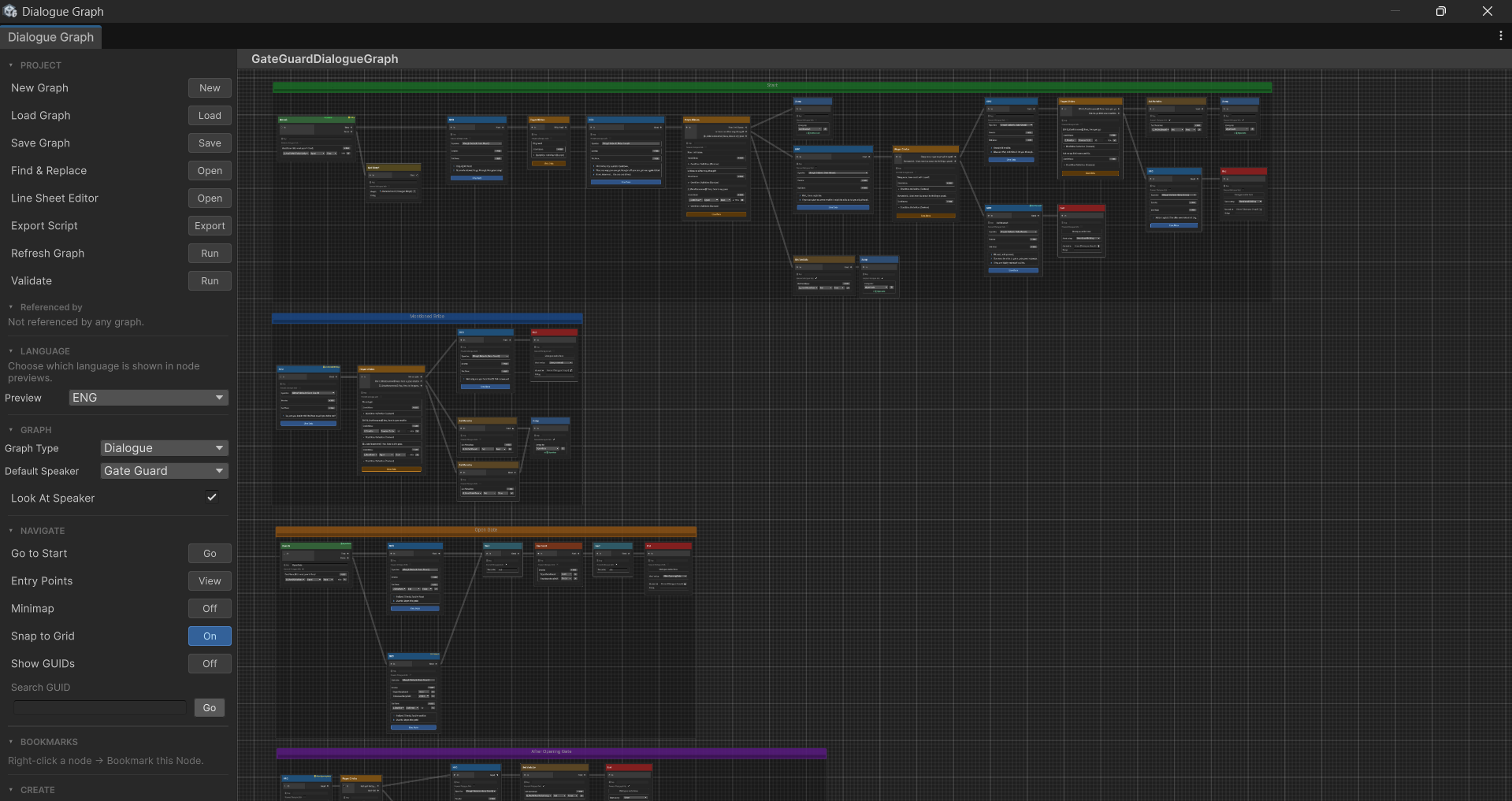
Features
- Visual graph editor — drag, connect, and organise nodes on an infinite canvas
- 17 node types — NPC lines, scripted player lines, player choices, branching, switch, weighted random, sub-graphs, variables, audio, animator triggers, events, waits, and more
- Sub-graph system — call any dialogue graph from within another and return — exactly like a function call
- Bark system — fire-and-forget ambient lines that run in parallel without blocking the player
- Line Sheet system — per-graph companion assets that store per-speaker audio clips and animator actions for every NPC line; supports multiple speakers sharing the same graph
- Multi-language support — assign multiple line sheets per graph (one per language) and switch at runtime with
SetActiveLanguage(); line text and choice text are automatically resolved from the active language's sheet - Language Library — optional central asset that defines project-wide languages, auto-populating language slots on every graph for typo-free setup
- Node templates — save any selection of nodes as a reusable drag-to-stamp template
- Built-in variable store — Bool / Int / String variables with inline type-aware conditions on choices — no C# needed
- Text token substitution — embed variable values directly in dialogue:
You have {gold} {gold:name} - Entry points — jump into any branch of a graph based on story state
- Spatial audio — per-speaker 3D audio source positioning
- Animator integration — set parameters on any registered speaker's Animator
- Custom conditions — register C# delegates or a
ConditionProviderasset for complex game state - Edit-mode preview window — step through any graph without entering Play mode
- Bookmarks — pin any node to the sidebar for one-click navigation in large graphs
- Export script — export any graph as a plain-text screenplay for VO sessions or writer review
- Choice history — track visited choices with save/load serialization
- Singleton
DialogueManager— one component drives everything; subscribe to events from any script
Minimum setup
Seven steps to a working dialogue:
- Create a Speaker Roster — right-click in the Project window → Create → Threader → Speakers → Speaker Roster, then add your speaker names
- Create a Variables Store (optional) — Create → Threader → Variables → Variables Store, then add any variables your dialogue needs
- Create a Dialogue Graph — Create → Threader → Graph → Dialogue Graph, then double-click it to open the graph editor and build your conversation
- Add a
DialogueManagercomponent to an empty GameObject in the scene — assign your Speaker Roster and Variables Store - Add an
NPCDialogueorDialogueTriggercomponent to your NPC — assign the graph and speaker name - Wire the UI — add
DialogueUIto a GameObject (withUI_Dialogue.uxml), or subscribe toOnNPCLine/OnChoiceNodefor a fully custom UI - Play and interact with the NPC to start the conversation
→ See Quick Start for the full step-by-step walkthrough with detailed explanations.
Navigation
| Section | What's in it |
|---|---|
| Quick Start | End-to-end setup in ~10 minutes |
| Tutorial | Guided walkthrough building a complete dialogue scene |
| Graph Editor | Canvas controls, sidebar, shortcuts, tools |
| Dialogue Preview | Step through graphs in edit mode without entering Play mode |
| Node Reference | All 17 node types with field descriptions |
| Variables | Variable store, set actions, text tokens |
| Conditions | Inline conditions and C# custom conditions |
| Events | Node events, global events, and C# event subscriptions |
| Speaker Roster | Speaker name assets, NPCDialogue setup, and name resolution |
| Sub-Graph | Call any graph from within another and return |
| Bark System | Ambient fire-and-forget lines that don't block the player |
| Line Sheet | Per-speaker audio clips and animator actions for NPC lines |
| Translation | Multi-language setup, Language Library, and runtime language switching |
| Node Templates | Save and stamp node selections as reusable templates |
| UI | Built-in DialogueUI, Canvas/uGUI custom UI, and event hooks |
| Entry Points | Multi-branch graphs and state persistence |
| Saving | Persisting variables, choices, and entry points |
| API Reference | Events, interfaces, and code API |
| Troubleshooting | Solutions to common problems and how to report bugs |
| Roadmap | What's coming in upcoming releases |
| Changelog | Full version history |