Dialogue Preview Window
Open via Threader → Dialogue Preview (or Ctrl+Shift+P).
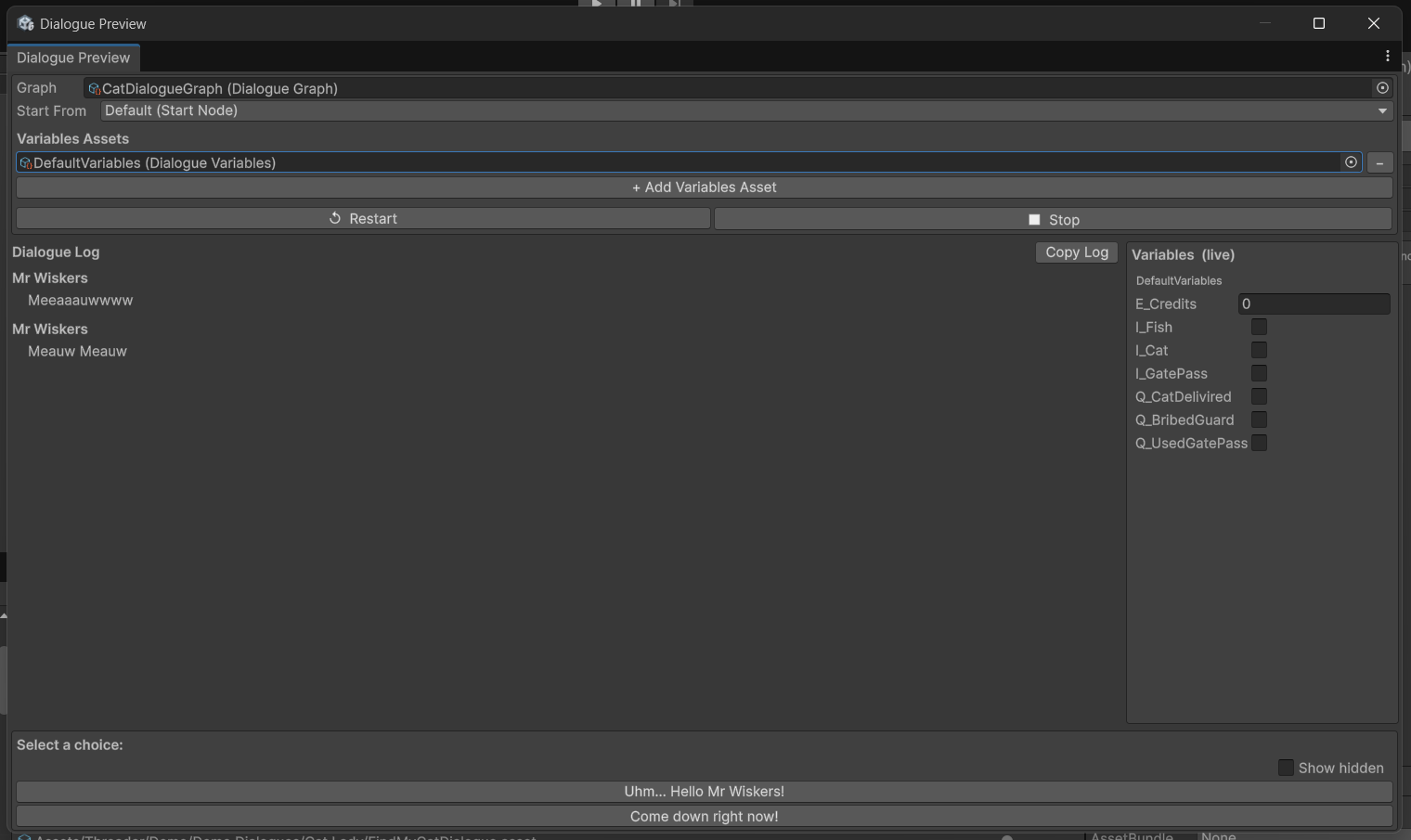
Runs a complete dialogue playthrough entirely inside the Editor — no Play mode required. Uses the same DialogueRunner as production, so the behaviour is identical to runtime.
Fields
| Field | Description |
|---|---|
| Graph | Drag any DialogueGraph asset here |
| Start From | Choose the default start node or any named entry point |
| Variables | Drag one or more DialogueVariables assets here; values are seeded from defaults and shown live in the right panel |
| Dialogue log | Scrollable transcript — NPC lines, player choices, events (✏ Set, ↩ Jump, ✀ FireEvent, etc.), and system messages |
| Show hidden | Toggle to reveal choices that are hidden by failed conditions |
| Copy Log | Copies the full transcript to the clipboard |
How it works
Variable values are seeded from the asset defaults when you click Play and reset when you click Stop — the on-disk ScriptableObject is never modified by the preview. This makes it safe to iterate without affecting your game state.
{varName} and {varName:name} tokens are resolved in the preview log, so what you see matches exactly what players see at runtime.
The preview runs fully in edit mode — no need to enter Play mode to test conversation flow, check conditions, or verify variable substitution.
Workflow tips
- Test entry points — use the Start From dropdown to jump into any branch directly without having to play through the whole graph
- Debug conditions — enable Show hidden to confirm that failing conditions are correctly hiding/locking the right choices
- Check variable tokens — drag in your
DialogueVariablesasset and confirm{varName}substitution looks right before going into Play mode - Copy log for review — use Copy Log to paste the full transcript into a document for writer review or QA notes